JSON Path Specification
JSON Path is a query language for JSON documents.
Selectors
Selectors |
Description |
|---|---|
|
The root object |
|
The current object |
|
Dot-notated child |
|
Bracket-notated child |
|
Array index |
|
Array slice |
|
Extended array slice |
|
Filter |
|
Non-descending filter |
|
Existence check |
Examples
{
    "books": [
        {
            "category": "reference",
            "author": "Nigel Rees",
            "title": "Sayings of the Century",
            "price": 8.95
        },
        {
            "category": "fiction",
            "author": "Evelyn Waugh",
            "title": "Sword of Honour",
            "price": 12.99
        },
        {
            "category": "fiction",
            "author": "Herman Melville",
            "title": "Moby Dick",
            "isbn": "0-553-21311-3",
            "price": 8.99
        },
        {
            "category": "fiction",
            "author": "J. R. R. Tolkien",
            "title": "The Lord of the Rings",
            "isbn": "0-395-19395-8",
            "price": 22.99
        }
    ],
    "'~'": "value"
}
JSON Path |
Result |
|---|---|
|
All books |
|
The authors of all books |
|
The third book |
|
The last book |
|
The first two books |
|
All books with an ISBN |
|
The ISBNs of all books with an ISBN |
|
All books cheaper than 10 |
|
The prices of all books cheaper than 10 |
|
All fiction books cheaper than 20 |
|
The value of the key |
Grammar
Generated with RR - Railroad Diagram Generator by Gunther Rademacher.
query
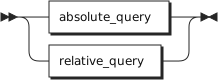
A query can be absolute or relative.
query ::= absolute_query | relative_query
absolute_query
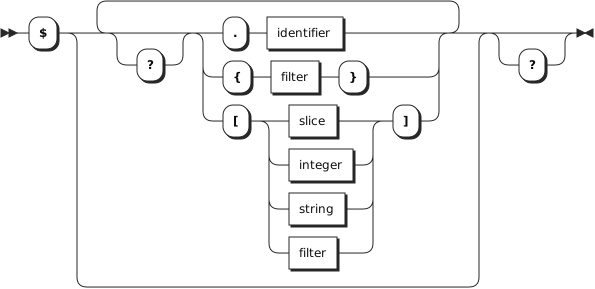
An absolute query starts with $ followed by zero or more selectors.
absolute_query ::= '$' ( '?'? (
                   '.' identifier
                   | '{' filter '}'
                   | '[' ( slice | integer | string | filter ) ']' )
                   )* '?'?
relative_query
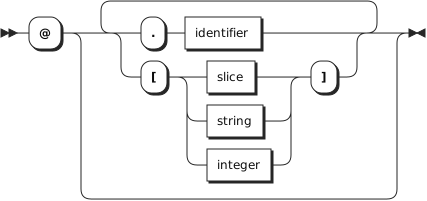
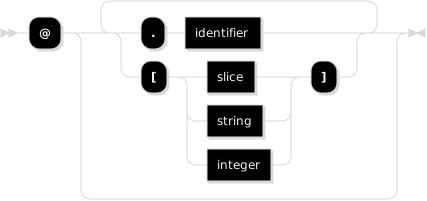
A relative query starts with @ followed by zero or more child selectors.
relative_query ::= '@' ( '.' identifier | '[' ( slice | string | integer ) ']' )*
filter
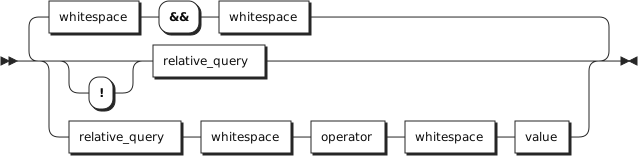
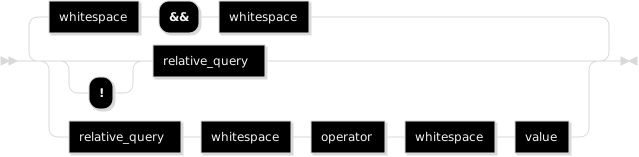
A filter consists of one or more (non-)existence checks / comparisons.
filter ::= (
           '!'? relative_query
           | relative_query whitespace operator whitespace value
           ) ++ ( whitespace '&&' whitespace )
value
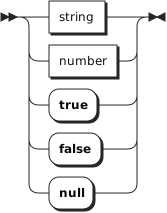
A value can be a string, number, true, false or null.
slice
A slice has a start and an end index (exclusive) with an optional step.


string
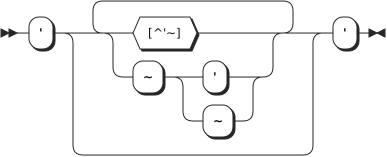
A string is a sequence of characters, wrapped in single quotes, using tilde escapes.
string ::= "'" ( [^'~] | '~' ['~] )* "'"
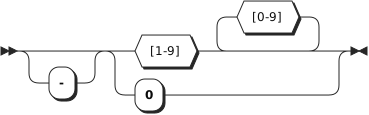
integer
An integer is a signed whole number.
integer ::= '-'? ( '0' | [1-9] [0-9]* )
number
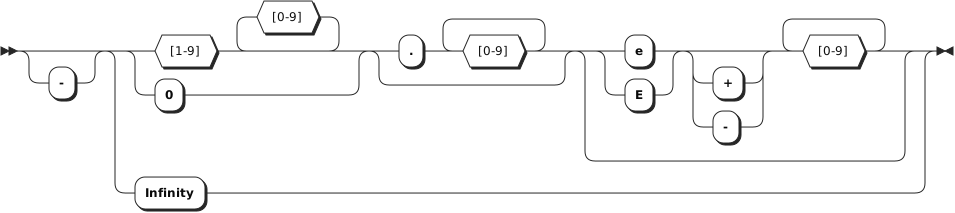
A number is a signed decimal number, optionally in scientific notation or one
of the special values Infinity and -Infinity.
number ::= '-'? (
           ( '0' | [1-9] [0-9]* ) ( '.' [0-9]+ )? ( [eE] [+-]? [0-9]+ )?
           | 'Infinity'
           )
operator
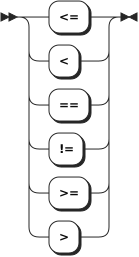
An operator can be <=, <, ==, !=, >= or >.
operator ::= '<=' | '<' | '==' | '!=' | '>=' | '>'
whitespace
Whitespace can be inserted around operators.
whitespace ::= '#x20'*